VM Supreme ID Verification for New Players – What Documents You Need
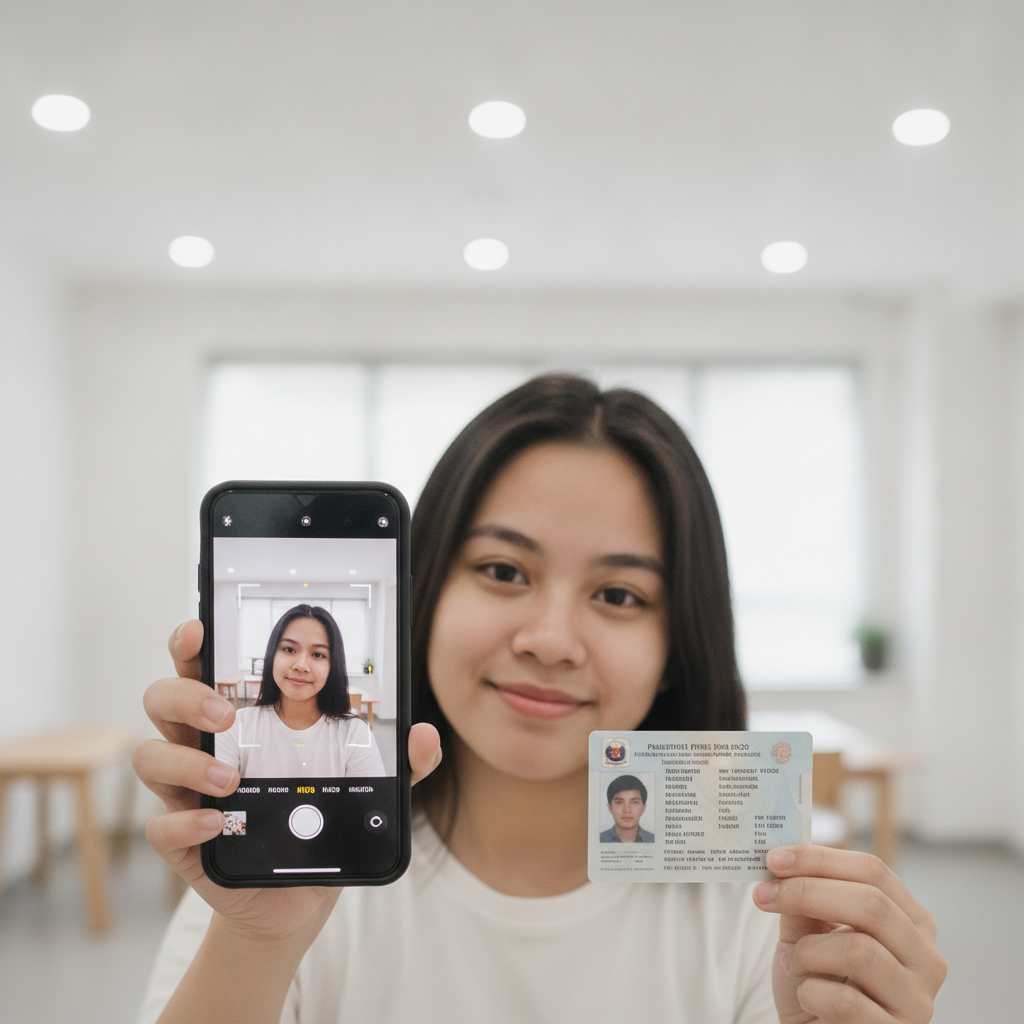
VM Supreme ID Verification for New Players – What Documents You Need
When you register an account at VM Supreme, the platform will ask you to verify your identity before you can make your first withdrawal. This guide explains why VM Supreme requires ID verification, which Philippine documents are accepted, and how to upload your proof of identity from your Android phone.
This guide is for players aged 21 and over. If you are under 21, you cannot create an account or play. Gambling should be for entertainment only—never bet more than you can afford to lose.
Why VM Supreme Asks Filipino Players to Verify Identity
VM Supreme operates an online casino and sportsbook for players in the Philippines. Like other platforms that accept real-money deposits and pay out winnings, VM Supreme must confirm that every player meets the minimum age requirement and is a real person using their own payment methods.
Age Verification (21+ Only)
Philippine gambling regulations require online casino and sportsbook operators to block anyone under the legal age. VM Supreme sets its minimum age at 21 years old. By asking you to upload a government-issued ID, the platform checks your birthdate and ensures you qualify to play slots, live dealer tables, sports betting on PBA and NBA, and bingo.
Security and Payment Protection
Identity verification also protects your account. When VM Supreme has your ID on file, it becomes much harder for another person to withdraw your funds or hijack your account. Because deposits and withdrawals run through GCash, Maya, bank transfer over InstaPay, and PESONet, the platform must match the name on your casino account to the name on your e-wallet or bank account. This step reduces fraud and keeps your peso balance secure.
Most players can deposit PHP 100–500 and start playing before verification is complete, but you will need to finish the ID check before you request your first withdrawal.
Accepted IDs for VM Supreme Verification
VM Supreme accepts several types of Philippine government-issued identification. Your ID must be valid (not expired) and show your full name, birthdate, photo, and ID number clearly.
PhilSys ID (Philippine Identification System)
The PhilSys ID is a national ID card issued by the Philippine Statistics Authority. It displays your full name, date of birth, photo, and a unique PhilSys Number (PSN). Because the PhilSys ID is a primary form of identification, VM Supreme accepts it without requiring a second document.
Driver's License
A valid driver's license from the Land Transportation Office (LTO) is widely accepted. Your license card must show your photo, full name, date of birth, and license number. Make sure your license has not expired—VM Supreme will reject expired IDs.
Philippine Passport
If you have a valid Philippine passport, you can use it to verify your VM Supreme account. The passport must display your photo, full name, birthdate, and passport number. Both the old maroon passport and the new e-Passport with a chip are acceptable.
Postal ID
A Postal ID from the Philippine Postal Corporation is another option. This card shows your photo, full name, birthdate, and postal ID number. Check the issue and expiry dates on the back of the card to confirm it is still valid.
What VM Supreme Does Not Accept
- Barangay certificates or cedula – These do not include a photo and are not accepted as primary ID.
- School or company IDs – Private institution IDs do not meet the platform's security standards.
- Photocopies or screenshots – VM Supreme requires a fresh photograph taken directly from your phone camera.
How to Upload a Photo of Your ID and Selfie from Your Android Phone
Most Filipino players access VM Supreme on a mobile-first Android device. The platform's verification process is designed to work smoothly on smartphones. Follow these steps to upload your ID and selfie.
Step 1: Log In and Navigate to Verification
- Open the VM Supreme website in your mobile browser or app (if you have installed it).
- Tap VM Supreme login and enter your registered mobile number or email and password.
- Once logged in, look for the account menu—usually a profile icon or three horizontal lines in the top corner.
- Tap Account Settings or Verification. Some accounts will see a banner prompting you to complete ID verification.
Step 2: Prepare Your ID
Before you start, make sure:
- Your ID is valid and not expired.
- You have good lighting. Natural daylight or a bright indoor light works best.
- The surface behind your ID is plain (a table or solid-color background).
Remove your ID from any plastic sleeve or holder. The photo must show the card clearly, with no glare or shadows blocking the text.
Step 3: Take a Photo of Your ID
- Tap the button to upload your ID document.
- Choose Take Photo or Camera (instead of uploading from your gallery, take a new photo).
- Hold your phone directly above your ID so the entire card fits in the frame. Keep your phone steady and make sure all four corners of the ID are visible.
- Tap the shutter button.
- Review the image. The text should be sharp and easy to read. If the photo is blurry, retake it.
- Tap Confirm or Upload.
Step 4: Take a Selfie Holding Your ID
After uploading your ID card photo, VM Supreme will ask you to take a selfie. This step confirms that the person holding the ID is the same person who registered the account.
- Tap the button to take your verification selfie.
- Hold your ID next to your face, at chest or shoulder height.
- Make sure your face and the ID are both clearly visible in the frame.
- Avoid wearing sunglasses, hats, or masks that cover your features.
- Use a plain background and good lighting. Face a window or light source so your face is not in shadow.
- Tap the shutter button.
- Check that both your face and your ID are in focus. If not, retake the selfie.
- Tap Confirm or Upload.
Step 5: Submit and Wait for Review
Once you upload both the ID photo and the selfie, tap Submit or Send for Verification. You will see a confirmation message that your documents are under review.
How Long Verification Takes
VM Supreme's verification team typically reviews ID submissions within 24 to 48 hours. During busy periods—such as weekends or major sporting events like PBA playoffs or NBA Finals—processing may take slightly longer.
What Happens Next
- Approved: You will receive a notification (via SMS, email, or in-app alert) that your account is verified. You can now deposit, play slots, live dealer games, or bet on PBA and NBA, and request withdrawals to GCash, Maya, or your bank via InstaPay or PESONet.
- Rejected or needs resubmission: If your ID photo is blurry, expired, or does not match the selfie, VM Supreme will ask you to upload new images. Check your account notifications and follow the instructions to resubmit.
Can You Play Before Verification Is Complete?
Many players can make their first PHP deposit (minimum deposits often start at PHP 100) and explore the game lobby before verification is finished. However, you will not be able to withdraw any winnings until your ID is approved. To avoid delays when you want to cash out, complete the verification process as soon as you register.
Responsible Gambling Reminder
VM Supreme is designed for entertainment. Set a budget before you play and never chase losses. If you feel that gambling is affecting your finances or well-being, take a break or seek help from a responsible gambling support service.
You must be 21 years or older to create an account and play at VM Supreme. Identity verification helps the platform enforce this rule and keep the experience safe for all Filipino players.
Summary
- Why verify? VM Supreme checks that you are 21 or older and protects your account and payment details.
- Accepted IDs: PhilSys ID, driver's license, passport, or Postal ID—all must be valid and government-issued.
- How to upload: Log in on your Android phone, take a clear photo of your ID and a selfie holding it, then submit both images.
- Processing time: Expect approval within 24–48 hours. You can deposit and play before verification is done, but you need approval to withdraw.
Completing ID verification is a one-time step that unlocks full access to VM Supreme, including slots, jackpot games, live dealer tables, PBA and NBA sports betting, bingo, and fast withdrawals to GCash, Maya, InstaPay, or PESONet. Keep your ID handy when you register, and you'll be ready to play in less than two days.